
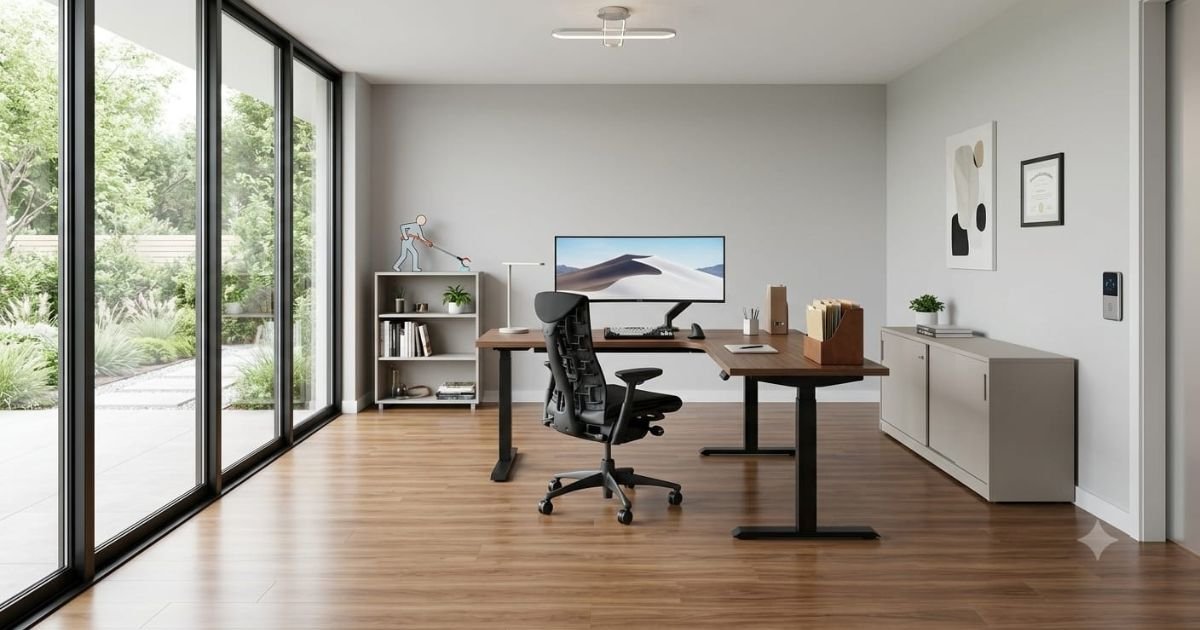
We know that nearly 20% of the global population lives with some form of limited mobility. It’s a common challenge for many, but the good news is that with a few thoughtful changes, your workspace can become much more accessible and user-friendly. Creating a home office setup that accommodates these needs is not just a matter of convenience it’s essential for productivity and comfort. In this article, we’ll explore how small adjustments in furniture, desk height, and lighting can transform your workspace into both comfortable and functional. By the end, you’ll have practical tips and technology recommendations to help you create an accessible home office that works for you.
Why an Accessible Home Office Matters
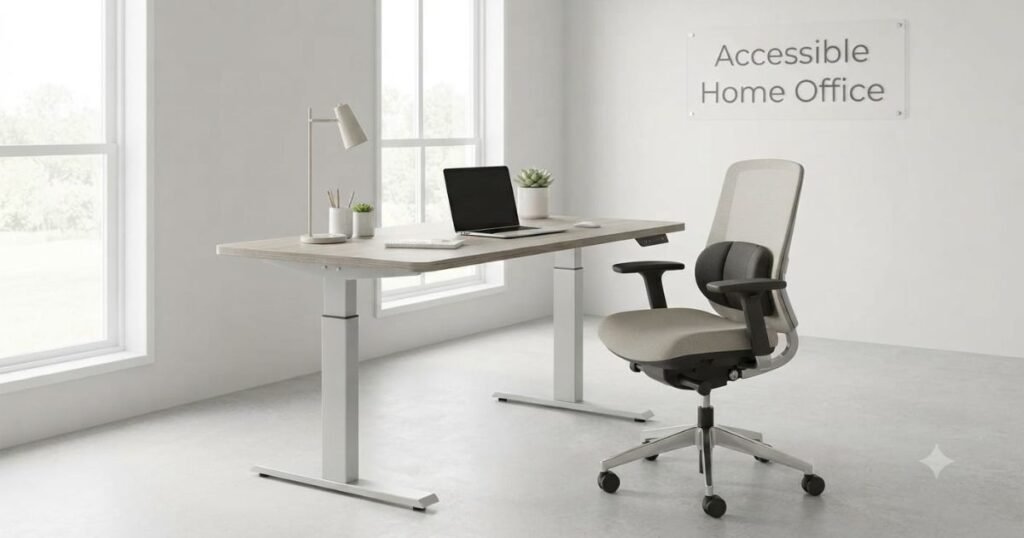
An accessible home office is designed to remove unnecessary barriers and make everyday tasks easier. A suitable workspace allows individuals to work independently while reducing discomfort caused by poor furniture placement, limited movement space, or unsuitable equipment.
With the growth of hybrid work, more people depend on home offices for long-term professional activities. Creating an accessible workspace supports better workplace wellbeing by improving comfort, focus, and overall productivity during remote work.
Accessibility also benefits different users, including people who use wheelchairs, walkers, or other mobility aids. A carefully planned workspace improves safety while supporting workplace inclusion by allowing individuals to participate fully in modern work environments.
| Accessible Feature | Main Benefit |
| Adjustable desk | Supports different working positions |
| Clear pathways | Improves movement and safety |
| Proper lighting | Reduces eye strain and discomfort |
| Accessible storage | Keeps important items within reach |
| Smart technology | Reduces physical effort |
Planning an Accessible Home Office That Fits Your Mobility Needs
A successful accessible office begins with understanding personal requirements and daily work habits. Before buying furniture, consider how much space is needed for movement, equipment placement, and comfortable working positions.
Choosing the right room is also important. A ground-floor location, easy entrance access, and sufficient natural lighting can make the workspace more practical for long-term use. A flexible residential workspace setup should also consider future changes. Adjustable furniture, adaptable layouts, and smart planning allow the office to continue meeting changing mobility needs without frequent redesigns.
What Makes a Home Office Disability-Accessible?
A disability-accessible home office combines comfort, safety, and practical design. It should allow users to move easily, access equipment independently, and complete work tasks without unnecessary physical challenges.
A well-designed accessible office layout considers movement, furniture positioning, lighting, technology, and sensory comfort. These elements work together to create a supportive environment for productive remote work.
Step-Free Access and Smooth Entry Points for an Accessible Home Office
Easy entry is one of the first requirements of an accessible home office. Level flooring, smooth entrances, and clear doorways reduce difficulties for wheelchair users and people using mobility devices.
Flooring should be stable and easy to move across, while door handles and switches should remain within comfortable reach. These small changes create a more practical and independent workspace. A step-free entrance supports a barrier-free workplace at home by reducing physical obstacles before work even begins.
Wider Doorways and Clear Pathways in an Accessible Home Office
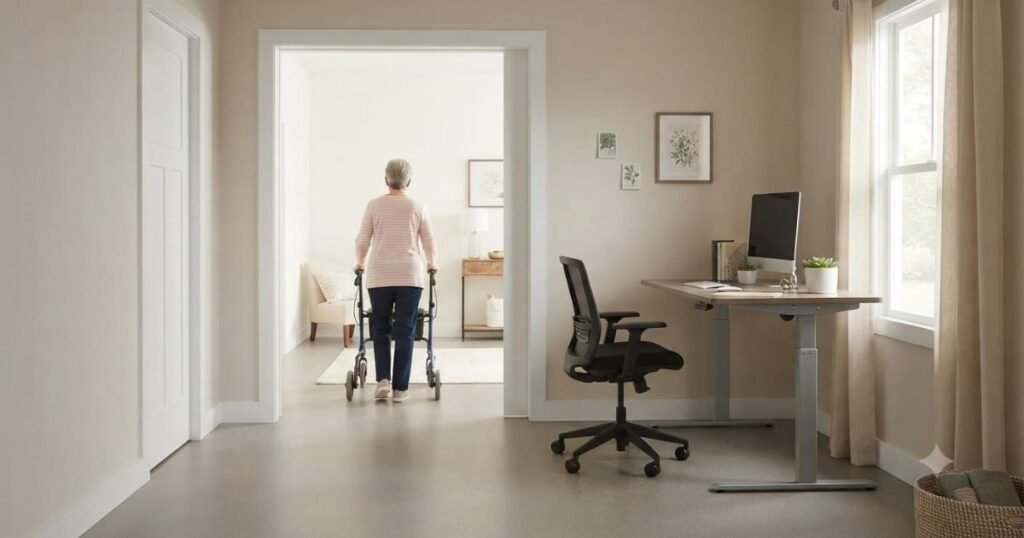
A workspace should provide enough room for comfortable movement around furniture and equipment. Narrow pathways, crowded furniture, and loose cables can make navigation difficult and increase safety risks.
Keeping frequently used areas open improves accessibility and allows mobility devices to move without constant adjustments. Storage should be organized carefully to prevent unnecessary obstacles. A clear layout is one of the most effective office accessibility solutions for improving daily comfort without requiring major changes.
Ergonomic Office Furniture and Adjustable Workstations
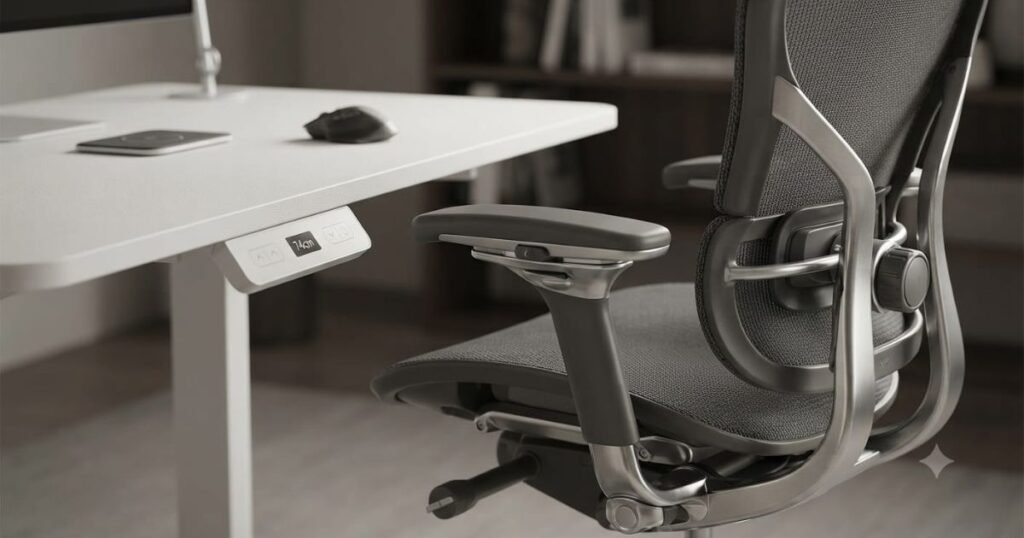
Furniture selection has a major impact on comfort during long working hours. Adjustable desks, supportive seating, and properly positioned monitors help maintain better posture and reduce physical strain.
Accessible office furniture should allow users to work comfortably based on their individual needs. Height-adjustable desks, ergonomic chairs, and flexible equipment placement provide better control over the workspace. Using ergonomic office furniture also supports long-term comfort by reducing pressure on the back, shoulders, and joints.
Sensory and Lighting Considerations
Accessibility is not limited to physical movement. Lighting, sound, and overall room atmosphere also affect concentration and comfort. Many neuro diverse employees benefit from calm environments with controlled lighting and reduced background noise. Adjustable lights, quiet areas, and comfortable room conditions can improve focus during remote work. Considering different sensory needs creates a more inclusive workspace where users can perform tasks comfortably and efficiently.
Choosing Accessible Furniture and Equipment
Selecting the right furniture is essential when creating a comfortable and functional and Accessible home office workspace. The goal is to choose equipment that supports independence, reduces physical effort, and allows users to complete daily tasks with ease.
A well-planned workstation in an accessible home office should match individual mobility requirements instead of forcing users to adjust to unsuitable furniture. The right choices improve comfort, productivity, and long-term workplace wellbeing during remote work.
Height-Adjustable Desks for Wheelchair Users
A height-adjustable desk is one of the most useful additions to an accessible home office. It allows users to adjust the working height according to their preferred seating position, including wheelchair use.
Proper desk clearance is also important because mobility devices need enough space beneath the workstation. A comfortable setup reduces awkward movements and creates a smoother working experience.
Adjustable desks support flexibility and are especially valuable for people who need different working positions throughout the day.
Ergonomic Seating and Pressure Relief Options
Comfortable seating plays a major role in preventing fatigue during long working hours. An ergonomic chair with adjustable height, back support, and armrests helps maintain better posture.
For individuals who remain seated for extended periods, pressure-relief cushions can improve comfort and reduce strain. Choosing supportive seating creates a healthier workspace environment.
Quality seating is an important part of accessible office furniture because it directly affects comfort, movement, and productivity.
Monitor Placement and Keyboard Positioning
Computer equipment should be arranged according to the user’s body position. A monitor placed at the correct height reduces neck strain, while a properly positioned keyboard helps prevent wrist and shoulder discomfort.
Adjustable monitor arms, wireless keyboards, and flexible desk accessories allow users to customize their setup. These small changes can make daily computer tasks much easier. A well-organized workstation supports independence and improves efficiency during remote work.
Accessible Storage Solutions
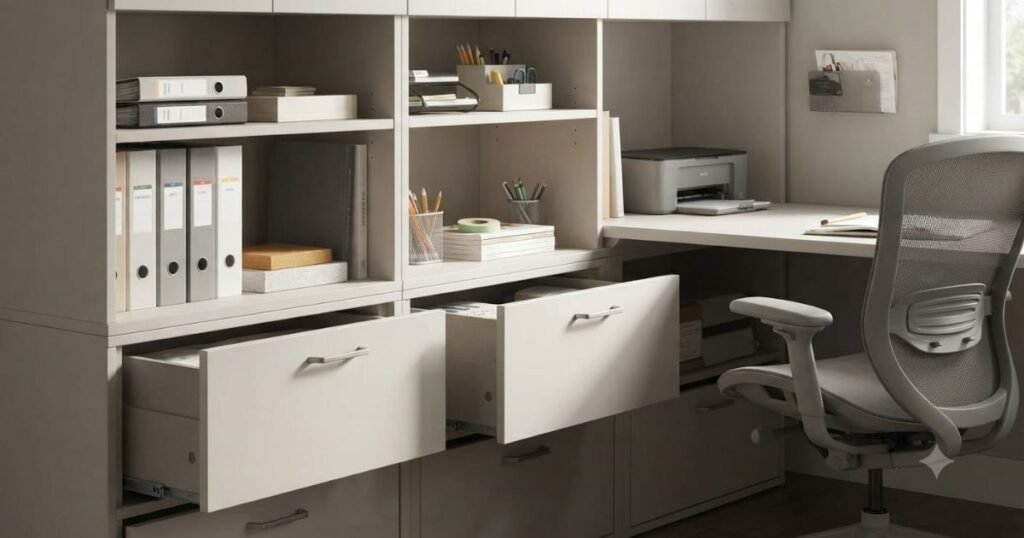
Storage should make important items easy to access rather than creating additional challenges. Frequently used supplies, documents, and equipment should remain within comfortable reach.
Pull-out drawers, rolling cabinets, and open shelves are practical options for accessible home offices. These solutions reduce unnecessary bending, stretching, and repeated movement. An organized workspace also supports a cleaner and safer residential workspace setup.
Smart Technology That Improves Home Office Accessibility
Technology can greatly improve accessibility by reducing physical effort and increasing independence. Smart devices allow users to control different aspects of their workspace without unnecessary movement.
Modern accessibility tools are especially useful for remote workers who spend many hours at home. These solutions create a more flexible and efficient workspace while supporting different mobility needs.
Voice-Controlled Devices
Voice-controlled technology allows users to complete tasks without leaving their workstation. Smart assistants can control lighting, temperature, reminders, and other daily functions through simple commands.
These tools are helpful for people with limited mobility because they reduce the need for repeated physical actions. Small automation features can improve comfort throughout the workday. Smart devices also support a more adaptable home office environment as work requirements change.
Screen Readers and Speech-to-Text Software
Digital accessibility is an important part of modern remote work. Screen readers help users with visual challenges access digital content, while speech-to-text tools reduce the need for continuous typing.
These technologies support different abilities and allow users to work more independently. They are especially valuable in a digital workplace where communication and documentation happen online.Accessible technology creates equal opportunities and strengthens workplace inclusion in remote environments.
Smart Lighting and Automated Controls
Proper lighting improves visibility, reduces eye strain, and creates a more comfortable workspace. Smart lighting systems allow users to adjust brightness and settings according to their preferences.
Automated controls can also manage blinds, temperature, and other home office features. These improvements reduce physical effort while making the workspace easier to manage. A comfortable environment supports better concentration and overall productivity.
Adaptive Computer Accessories
Adaptive accessories help users interact with technology more comfortably. Options such as ergonomic keyboards, alternative mice, and customized input devices allow greater flexibility.
The right accessories depend on individual needs and working habits. Choosing practical tools instead of unnecessary equipment creates a more efficient setup. These improvements make technology easier to use while supporting a more accessible remote working experience.
Creating a Safe, Comfortable, and Productive Home Workspace
A successful accessible home office combines safety, comfort, and organization. Furniture and technology are important, but the overall environment determines how easily users can complete daily tasks.
Small design improvements can prevent common problems while creating a workspace that remains practical over time.
Cable Management and Trip Hazard Prevention
Loose cables and cluttered pathways can create unnecessary safety risks. Keeping wires organized with cable covers or management systems improves movement around the workspace.
Furniture should also remain stable and positioned carefully. Clear pathways make it easier for wheelchairs, walkers, and other mobility devices to move safely. Simple organization is one of the easiest ways to improve home office accessibility.
Air Quality and Temperature Control
A comfortable working environment depends on more than furniture. Good airflow, suitable temperature, and healthy indoor conditions help maintain focus during long work sessions.
Smart thermostats and adjustable ventilation systems can improve comfort without requiring frequent manual adjustments. A pleasant workspace supports productivity while creating a healthier remote work routine.
Reducing Physical Fatigue Throughout the Day
Even a well-designed office requires healthy working habits. Changing positions, adjusting equipment, and organizing tasks properly can reduce physical stress.
An adjustable workstation allows users to find comfortable positions throughout the day. Keeping essential items nearby also reduces unnecessary reaching and movement. These small adjustments contribute to better comfort and long-term workplace wellbeing.
Creating Flexible Work Zones for Different Tasks
A flexible workspace allows users to perform different activities comfortably. A primary desk area may support computer work, while another section can be used for reading, planning, or meetings.
This approach is useful for many remote workers, including neurodiverse employees who may benefit from different environments for different tasks. Flexible layouts also support the changing needs of a modern hybrid workplace, where employees often manage multiple work styles from home.
Improving a Home Office With Simple Changes
A remote worker in Texas converted a small spare room into an accessible workspace after experiencing difficulty using a traditional desk setup. The changes included an adjustable desk, improved lighting, organized storage, and better cable management.
An occupational therapist helped identify posture and equipment improvements, while a disability access consultant reviewed the room layout for easier movement. These practical updates improved comfort and allowed the homeowner to work more independently.
Common Disability Access Issues in Home Offices
Many home offices are created without considering long-term accessibility needs. A room may appear suitable at first, but small barriers such as limited space, poor furniture placement, or difficult navigation can reduce comfort and independence over time.
Identifying these challenges early allows homeowners to make practical improvements. The right office accessibility solutions can transform an ordinary room into a workspace that supports safety, productivity, and daily convenience.
Limited Space and Poor Room Layouts
Small rooms can become difficult to use when furniture and equipment limit movement. A crowded layout may prevent comfortable navigation for wheelchair users or people using mobility aids.
A well-planned residential workspace setup focuses on open pathways, practical furniture placement, and easy access to essential items. Even small rooms can become functional when space is organized carefully. Using compact furniture, adjustable desks, and flexible storage solutions helps maximize available space without reducing accessibility.
Narrow Entryways and Difficult Navigation
Access problems often begin before reaching the workstation. Narrow doorways, tight corners, and poorly positioned furniture can create daily obstacles.
Simple changes such as improving doorway clearance, removing unnecessary furniture, and keeping pathways open can significantly improve movement. A smoother layout supports independence and creates a more comfortable home office experience.
Inaccessible Furniture and Storage
Fixed-height desks, difficult-to-reach shelves, and heavy storage units can make everyday tasks challenging. Furniture should support the user instead of creating additional physical barriers.
Adjustable equipment and accessible storage options allow users to work more comfortably while reducing unnecessary effort. A thoughtful home office modification can include simple changes such as relocating shelves, replacing furniture, or improving workstation height.
Poor Lighting and Noise Distractions
Lighting and sound greatly influence concentration and comfort. Bright glare, dark areas, or constant background noise can make working from home more difficult.
This is especially important for neurodiverse employees who may experience increased sensitivity to sensory distractions. Adjustable lighting, quiet areas, and sound-reducing materials can create a more supportive environment. A comfortable sensory environment improves focus while supporting different working preferences.
Finding Practical Solutions for Residential Workspaces
Accessibility improvements do not always require expensive renovations. Many effective office accessibility solutions involve simple adjustments such as better furniture placement, improved lighting, and organized storage.
Technology upgrades, adjustable equipment, and smart home features can also improve independence. These changes help create a workspace that adapts to individual needs.For larger projects, professional guidance can help homeowners choose the right improvements without unnecessary expenses.
Modification Can Improve Home Office Accessibility
Some workspaces require more than basic adjustments. A planned home office modification may include flooring improvements, doorway changes, electrical updates, or redesigned layouts.
These improvements should focus on long-term usability rather than short-term fixes. A flexible design allows the workspace to continue supporting changing mobility needs. Professional advice from an occupational therapist can help identify the most effective modifications.
Creating a Better Home Workspace: Beyond Compliance
An accessible home office should do more than remove physical barriers. It should create a supportive environment where people can work comfortably, confidently, and independently.
Accessibility is not only about following guidelines. It is about creating a workspace that supports productivity, comfort, and workplace inclusion in modern remote work environments.
Applying Universal Design Principles at Home
Universal design focuses on creating spaces that work for different abilities. Instead of designing only for specific challenges, it creates flexible environments that remain useful for everyone.
In a home office, universal design may include adjustable furniture, simple layouts, accessible storage, and easy-to-use technology. These features improve convenience while keeping the workspace practical and visually comfortable.
Supporting Workplace Wellbeing
A well-designed workspace directly affects physical and mental health. Comfortable furniture, organized surroundings, and reduced distractions help lower stress and improve concentration.
Supporting workplace wellbeing is especially important for remote workers who spend many hours at home. A healthier environment allows employees to stay productive while maintaining better comfort throughout the workday.
Designing for Neurodiverse Employees Working Remotely
Remote work provides flexibility, but the home environment must support different needs. Neurodiverse employees may benefit from predictable layouts, reduced distractions, and greater control over their surroundings.
Features such as adjustable lighting, quiet work areas, and organized spaces can improve focus and reduce sensory overload. Inclusive design allows more people to perform their best without unnecessary environmental challenges.
Building an Inclusive Home Workspace for Hybrid Work
The growth of the hybrid workplace has changed how people use their homes for professional activities. Many employees now combine office visits with remote work, making accessible home setups increasingly important.
A comfortable home office helps workers maintain productivity regardless of location. Consistent equipment, ergonomic furniture, and personalized layouts create smoother transitions between work environments. Supporting accessible hybrid work also strengthens workplace equality and employee satisfaction.
Occupational Therapist or Disability Access Consultant
Professional guidance can make accessibility improvements more effective. An occupational therapist evaluates daily tasks and recommends solutions that improve comfort, positioning, and independence.
A disability access consultant can review workspace design, movement areas, furniture placement, and accessibility concerns. Their expertise helps homeowners create practical improvements based on real needs rather than assumptions.
Home Accessibility Assessment Supports Long-Term Independence
A workspace assessment identifies problems before they become major difficulties. It can reveal issues with furniture height, movement space, lighting, or equipment placement.
Early planning allows homeowners to make gradual improvements instead of expensive emergency changes later.A professional assessment supports a safer and more adaptable workspace for the future.
Encouraging Workplace Inclusion Through Accessible Home Office Design
Accessibility plays an important role in creating equal opportunities. When employees have suitable home workspaces, they can participate more confidently in meetings, communication, and daily responsibilities.
An accessible office supports workplace inclusion by reducing barriers and allowing individuals to focus on their skills rather than environmental limitations.As remote work continues growing, accessible home design becomes an important part of a modern inclusive workplace.
Budget-Friendly Ways to Improve Home Office Accessibility
Improving accessibility does not always require a large investment. Many affordable changes can make a significant difference in daily comfort.
Replacing a standard chair, reorganizing storage, improving lighting, or securing loose cables are simple steps that create a safer environment.
| Improvement | Accessibility Benefit |
| Adjustable desk | Supports different working positions |
| Better lighting | Improves visibility and comfort |
| Storage organization | Keeps items easy to reach |
| Cable management | Reduces safety risks |
| Smart devices | Reduces physical effort |
Planning improvements gradually allows homeowners to upgrade their workspace according to their budget and changing requirements.
Maintaining an Accessible Home Office Over Time
Accessibility needs can change as work habits, technology, and mobility requirements develop. Regularly reviewing the workspace helps maintain comfort and functionality.
Small updates, such as adjusting furniture, replacing outdated equipment, or improving organization, can keep the office effective for many years. A flexible workspace remains valuable because it adapts instead of becoming outdated.
Conclusion
Creating an accessible home office setup for individuals with limited mobility requires thoughtful planning and consideration of specific needs. By integrating adaptive furniture, assistive technologies, and organizing the workspace for ease of use, it is possible to cultivate a productive environment that fosters independence. Utilizing ergonomic furniture, technology aids, and a thoughtfully designed layout can transform your workspace into a more inviting and effective area. Such improvements not only create a more enjoyable working environment but also enhance productivity and well-being. It’s essential to assess your unique needs and make the necessary changes that can improve your work experience. Don’t wait — take the initiative to build an office space that truly supports your capabilities.
FAQ
What makes a home office accessible for people with limited mobility?
An accessible home office includes features that support easy movement, comfortable furniture use, and independent work. Adjustable desks, clear pathways, proper lighting, and accessible technology are common examples.
How can I make my home office wheelchair-friendly?
Creating a wheelchair-friendly workspace involves improving room clearance, choosing adjustable furniture, and ensuring important items are within reach. A smooth layout makes daily movement easier.
What furniture is best for an accessible home office?
What makes a home office accessible for people with limited mobility?
An accessible home office includes features that support easy movement, comfortable furniture use, and independent work. Adjustable desks, clear pathways, proper lighting, and accessible technology are common examples.
How can I make my home office wheelchair-friendly?
Creating a wheelchair-friendly workspace involves improving room clearance, choosing adjustable furniture, and ensuring important items are within reach. A smooth layout makes daily movement easier.
What furniture is best for an accessible home office?
Height-adjustable desks, ergonomic chairs, adjustable monitor stands, and accessible storage solutions are helpful options. Furniture should match individual comfort and mobility requirements.
Should I consult an occupational therapist before modifying my home office?
Yes, an occupational therapist can provide personalized recommendations based on daily activities and mobility needs. Their guidance can help create a more comfortable and practical workspace.
When should I hire a disability access consultant?
A disability access consultant is especially useful for larger accessibility changes or when planning significant home office modifications. They can identify barriers and recommend effective solutions.
Can a small room become an accessible home office?
Yes. With careful planning, compact spaces can become functional work areas. Smart furniture choices and efficient layouts often make the biggest difference.